
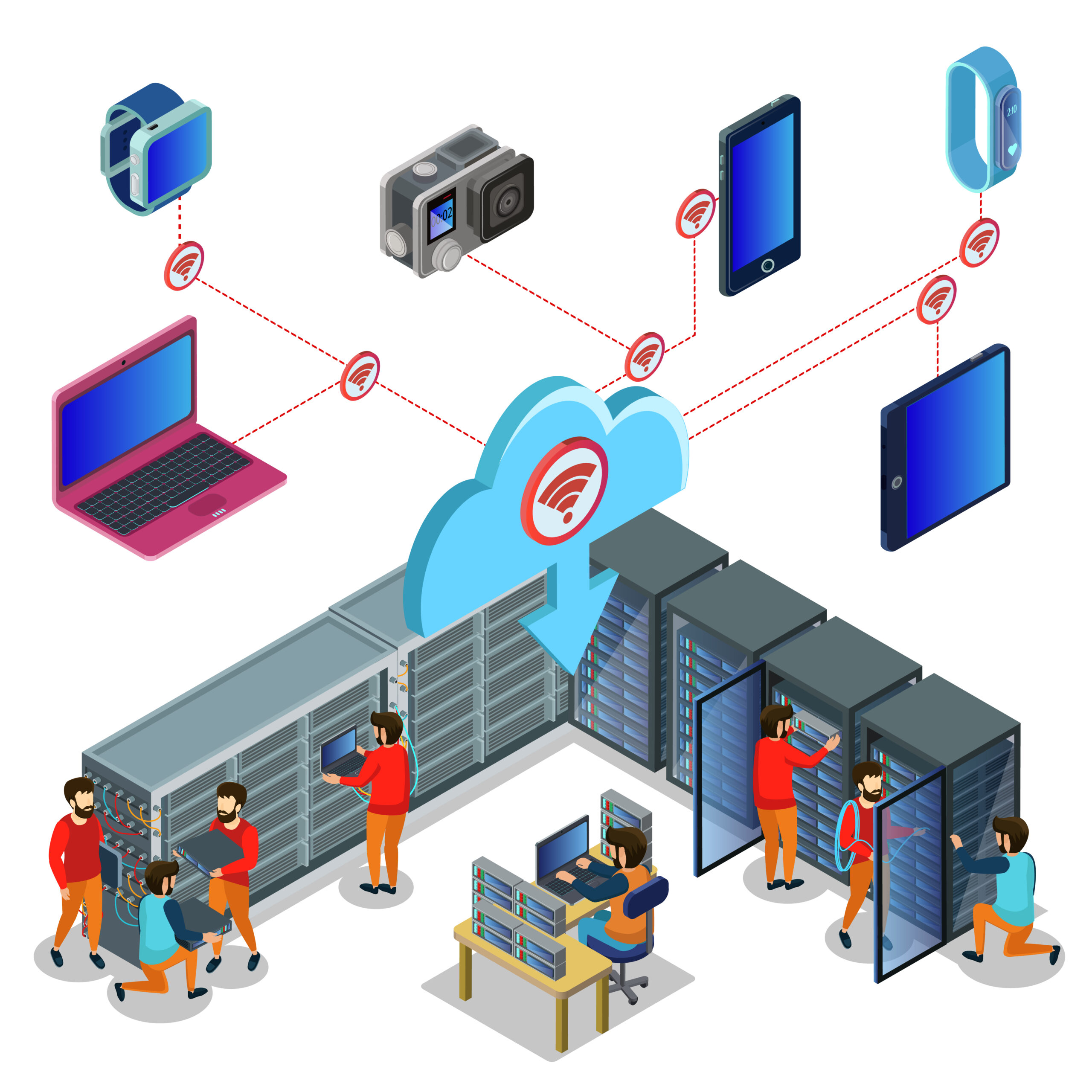
SIP trunk configuration represents the technical process of connecting IP-PBX systems to VoIP service providers through Session Initiation Protocol, enabling businesses to transmit voice communications over internet connections instead of traditional telephone lines. Configuration errors cause one-way audio, registration failures, and poor call quality across deployments. This guide provides vendor-neutral configuration steps applicable to major PBX systems including Asterisk, FreePBX, 3CX, and Cisco CME.
IT professionals managing business communication infrastructure require structured guidance covering essential settings: authentication methods, codec prioritization, routing rules, and DTMF configuration. This comprehensive guide reduces deployment time from 4-6 hours to 2-4 hours through systematic troubleshooting and platform-specific examples.
What You Need Before Configuring Your SIP Trunk
SIP trunk configuration requires three essential components: active network connectivity with adequate bandwidth allocation, SIP credentials or IP authentication information from your provider, and administrative access to your PBX system with configuration privileges.
Network Requirements
Adequate bandwidth prevents call quality degradation. G.711 codec transmission requires 100 kbps per concurrent call, while G.729 compressed codec operates at 32 kbps per call. QoS configuration prioritizes voice packets over data traffic, reducing jitter below 30 milliseconds and packet loss below 1% for optimal call quality.
Network infrastructure demands include:
- Bandwidth calculation: 100 kbps per concurrent call for G.711 codec
- Compressed bandwidth: 32 kbps per concurrent call for G.729 codec
- QoS implementation: Voice traffic prioritization for stable performance
- Firewall configuration: UDP/TCP port 5060 for SIP signaling, port 5061 for TLS
- RTP media ports: UDP 10000-20000 range for audio streams
- NAT traversal: STUN server access for complex network scenarios
SIP Trunk Credentials
Service providers supply specific authentication parameters:
- SIP server address: Provider hostname (example: sip.rockydialer.com)
- Port numbers: Standard 5060 for UDP, 5061 for TLS encrypted connections
- Registration credentials: Username, password, and SIP domain information
- IP authentication: Authorized IP addresses for whitelist-based security
- SIP realm: Domain information for proper registration
PBX System Access
Administrative preparation includes:
- Login credentials: Administrative access to PBX configuration interface
- Interface access: GUI or CLI depending on platform capabilities
- Configuration backup: Current settings preserved before modifications
- Documentation: Existing dial plans and routing rules recorded
Step 1 — Add Your SIP Trunk Provider Profile
Adding a SIP trunk provider profile involves creating a new trunk entry in your PBX system, defining the SIP server address and port number, selecting the transport protocol, and configuring the authentication method your provider specifies.
Define Basic Trunk Parameters
SIP Server Configuration
Configure the primary connection endpoint:
- SIP proxy address: Provider’s server hostname or IP address
- Port selection: UDP port 5060, TLS port 5061, or TCP port 5060
- Domain settings: SIP realm matching provider specifications
RockyDialer SIP trunk configuration uses sip.rockydialer.com as the proxy address on port 5060 for UDP transport, providing sub-100ms latency connection establishment across six geographically distributed data centers.
Transport Protocol Selection
Protocol choice impacts security and performance:
| Protocol | Latency | Reliability | Security | Use Case |
| UDP | Lowest | Standard | None | General deployments |
| TCP | Low | High | None | NAT/firewall complex networks |
| TLS | Low | High | Encrypted | HIPAA, financial services, compliance |
UDP provides connectionless transmission with minimal overhead. TCP offers reliable delivery through connection-oriented communication. TLS encrypts signaling for compliance requirements using port 5061.
Authentication Configuration
Registration-Based Authentication
Most common authentication method:
- Username: SIP account identifier from provider
- Password: Authentication credential (case-sensitive)
- Authorization username: May differ from registration username
- Registration interval: 3600 seconds typical refresh period
Example trunk configuration:
Trunk Name: RockyDialer-Primary
SIP Server: sip.rockydialer.com
Port: 5060
Transport: UDP
Auth Username: company123
Auth Password: [secure-credential]
Registration: Yes
Expiration: 3600
IP-Based Authentication
Alternative for static infrastructure:
- Static IP requirement: PBX originates from authorized addresses
- No registration: Connectionless authentication mechanism
- Provider whitelist: Approved IP list maintained by provider
- Suitable for: Fixed office locations with static allocations
Step 2 — Configure SIP Settings Inside the PBX
SIP settings configuration includes transport protocol selection, NAT traversal mechanisms, caller ID formatting, codec prioritization, and DTMF method specification to ensure reliable call establishment, proper audio quality, and correct call routing through your PBX system.
Transport and Network Settings
NAT Configuration
NAT traversal failures cause 35-40% of SIP trunk deployment issues, resulting in one-way audio or complete call failure when external IP addresses are not correctly configured in PBX systems.
Configuration by scenario:
Office with Static Public IP:
- Configure external IP as static public address
- Disable STUN server requirement
- Define local network: 192.168.1.0/24 (example internal range)
Dynamic IP or Complex Network:
- Enable STUN server: stun.rockydialer.com
- Configure external IP discovery method
- Consider SBC deployment for enterprise environments
Session Border Controller Integration
SBC provides advanced network capabilities:
- Purpose: NAT traversal, security, protocol interoperability
- Placement: Between PBX and SIP provider network
- Benefits: Simplified firewall rules, enhanced security, topology hiding
- Requirements: Complex networks, multiple locations, compliance mandates
Caller ID and Number Formatting
Outbound Caller ID Configuration
Proper formatting ensures call routing success:
- E.164 format: International standard (+1XXXXXXXXXX for US numbers)
- Caller ID name: Company or department identification
- Privacy settings: Allow blocking for specific extensions
- Provider acceptance: Verify format requirements
Correct formatting examples:
- US number: +12125551234 (E.164 international format)
- UK number: +442071234567 (E.164 international format)
- Format conversion: PBX strips or adds country codes automatically
Inbound Caller ID Handling
- Display format: Configure endpoint caller ID presentation
- Number translation: Convert provider format to internal format
- CNAM lookup: Caller name database integration when available
- Anonymous handling: Define treatment for blocked caller IDs
Registration and Keepalive Settings
Registration intervals between 1800-3600 seconds optimize network efficiency while maintaining reliable trunk availability. Shorter intervals (300-900 seconds) increase network overhead by 4-12x but provide faster failover detection in redundant trunk scenarios.
Registration Parameters
- Registration interval: 3600 seconds standard setting
- Automatic retry: Re-registration on connection failure
- Keepalive packets: OPTIONS or NOTIFY messages maintain connection
- Timeout configuration: Appropriate values for registration attempts
Step 3 — Codec Prioritization
Codec prioritization determines audio quality and bandwidth consumption for SIP trunk calls. Configure codecs in preference order within your PBX, prioritizing G.711 for high-quality audio or G.729 for bandwidth conservation, ensuring codec compatibility with your SIP provider.
Understanding Codec Characteristics
| Codec | Bandwidth per Call | Audio Quality (MOS) | CPU Usage | Compression | Best Use Case |
| G.711 | 64 kbps | 4.1-4.4 (Excellent) | Very Low | None | HD audio, adequate bandwidth |
| G.722 | 64 kbps | 4.3-4.5 (HD) | Low | Wideband | HD voice applications |
| G.729 | 8 kbps | 3.8-4.0 (Good) | Medium | High | Bandwidth-limited networks |
| Opus | 6-510 kbps | 4.0-4.5 (Variable) | Low | Adaptive | WebRTC, variable bandwidth |
G.711 codec delivers MOS (Mean Opinion Score) quality ratings of 4.1-4.4 without compression, consuming 64 kbps bandwidth per concurrent call including IP overhead. G.729 compression reduces bandwidth requirements by 87.5% compared to G.711, consuming only 8 kbps per call while maintaining acceptable MOS scores of 3.8-4.0.
Codec mismatches between PBX and provider cause call establishment failures. RockyDialer supports G.711, G.722, and G.729 codecs for universal PBX compatibility.
Codec Configuration Best Practices
Priority Order
Configure codecs in preference sequence:
- G.711u (ulaw) – Primary for US deployments
- G.711a (alaw) – Fallback for international compatibility
- G.729 – Emergency bandwidth conservation
Bandwidth Calculation
Total Bandwidth = (Codec bitrate + IP overhead) × Concurrent calls
Examples:
- 10 concurrent G.711 calls: (64 + 36 kbps overhead) × 10 = 1,000 kbps (1 Mbps)
- 10 concurrent G.729 calls: (8 + 28 kbps overhead) × 10 = 360 kbps
Compatibility Verification
- Confirm provider codec support before deployment
- Test calls with configured codec priority
- Monitor codec negotiation in call logs
- Verify audio quality matches expectations
Step 4 — Configure DTMF Settings
DTMF (Dual-Tone Multi-Frequency) configuration determines how telephone keypad tones transmit across SIP trunks. Configure RFC2833 as the primary DTMF method for reliable IVR menu navigation, with SIP INFO as fallback for provider compatibility requirements.
DTMF Method Overview
RFC2833 (RTP Event) — Recommended Standard
RFC2833 DTMF transmission achieves 99%+ reliability in IVR navigation scenarios compared to 75-85% reliability for in-band audio DTMF, preventing caller frustration and reducing support call volume by 15-20%.
- Transmission: Separate RTP packets for DTMF tones
- Advantages: Codec-independent, reliable, industry standard
- Compatibility: Supported by 95% of SIP providers and PBX systems
- Reliability: Unaffected by codec compression or voice processing
SIP INFO — Alternative Method
- Transmission: SIP signaling messages contain DTMF information
- Use case: Fallback when RFC2833 incompatible
- Limitations: Some PBX systems require additional configuration
- Support: Less universal than RFC2833
In-Band Audio DTMF — Legacy Method
- Transmission: Actual audio tones in voice stream
- Disadvantages: Affected by codec compression, voice processing
- Use case: Legacy systems or specific compatibility requirements
- Recommendation: Avoid unless specifically required
Testing DTMF Reliability
- Call provider test number with IVR menu
- Navigate multi-level menu structures
- Verify all keypresses register correctly
- Test from various endpoints (softphones, desk phones, mobile devices)
Step 5 — Inbound Route Configuration
Inbound route configuration maps Direct Inward Dialing (DID) numbers to specific destinations within your PBX system, directing incoming SIP trunk calls to extensions, ring groups, IVR menus, or voicemail boxes based on dialed number and time-of-day routing rules.
Understanding DID Number Routing
DID (Direct Inward Dialing) numbers are individual telephone numbers provided by your SIP trunk provider. Each DID routes to a specific destination in your PBX without requiring operator intervention or auto-attendant navigation.
Common Routing Scenarios
Extension Direct Dial:
- DID: +1-212-555-1001 → Extension 101 (Sales Department)
- DID: +1-212-555-1002 → Extension 102 (Support Department)
- DID: +1-212-555-1003 → Extension 103 (Executive Office)
Department Ring Groups:
- DID: +1-212-555-2000 → Ring Group “Sales Team” (Extensions 101-105)
- Ring strategies: Ring all simultaneously, sequence priority, longest idle first
IVR Menu Systems:
- Main number → Auto-attendant with menu options
- Best practice: Maximum 5 menu options, timeout to operator after 3 attempts
Time-Based Routing:
- Business hours (9 AM – 5 PM): Route to reception ring group
- After hours (5 PM – 9 AM): Route to voicemail or answering service
- Weekends/holidays: Custom routing or reduced staff ring groups
Configuring Inbound Routes
Step-by-Step Configuration:
- Create route entry: Descriptive identifier (e.g., “Main-Reception-Hours”)
- DID number: Enter full number including country code if required
- Define destination: Extension, ring group, IVR, voicemail, external number
- Set parameters: Call recording, music on hold, CID name prefix
- Configure time conditions: Active days, hours, timezone, holiday schedule
Advanced Routing
Overflow and Failover:
- Primary destination fails → Route to backup destination
- All agents busy → Route to overflow queue or voicemail
- Timeout threshold: 30 seconds before overflow activation
Geographic Routing:
- Area code analysis: Route based on caller’s area code
- Local presence: Answer with closest office location
VIP Caller Routing:
- Whitelist important customer phone numbers
- Priority routing to senior staff or account managers
- Distinct ring tone or visual indicator
Step 6 — Outbound Route Configuration
Outbound route configuration defines how your PBX processes outgoing calls, including dial plan patterns, number formatting rules, trunk selection for call routing, and permission structures controlling which extensions can place international, long-distance, or toll-free calls.
Dial Plan Pattern Matching
Dial plans are pattern-matching rules that determine how the PBX interprets dialed numbers and which trunk routes outgoing calls through. Proper dial plan configuration ensures correct call routing while enforcing calling restrictions.
North American Numbering Plan Examples:
- Local 7-digit: Pattern NXXXXXX (N=2-9, X=0-9)
- Local 10-digit: Pattern NXXNXXXXXX (area code + 7 digits)
- Long distance: Pattern 1NXXNXXXXXX (1 + 10 digits)
- International: Pattern 011.+ (011 + country code + number)
- Toll-free: Pattern 1(800|888|877|866|855|844|833)XXXXXXX
Number Formatting and Manipulation
SIP providers require specific number formats for routing. Most providers expect E.164 international format (+1XXXXXXXXXX), while PBX users dial domestic formats (10 digits in US). Number manipulation rules translate between formats automatically.
Common Formatting Rules:
Add Country Code:
- User dials: 2125551234
- PBX modifies to: +12125551234
- Provider receives: +12125551234 in E.164 format
Strip Trunk Access Codes:
- User dials: 92125551234 (9 for outside line)
- PBX strips: 9
- Sends to provider: +12125551234
Add International Exit Codes:
- User dials: 442071234567 (UK number without prefix)
- PBX adds: +
- Provider receives: +442071234567
Trunk Selection and Route Priority
Route Priority Configuration:
- RockyDialer Primary Trunk (95% capacity)
- RockyDialer Secondary Trunk (failover)
- Emergency PSTN Gateway (last resort for 911)
Call Permission Structures:
| Permission Level | Local | Long Distance | International | Toll-Free | Premium Rate |
| Basic Employee | ✓ | ✗ | ✗ | ✓ | ✗ |
| Manager | ✓ | ✓ | ✗ | ✓ | ✗ |
| Executive | ✓ | ✓ | ✓ | ✓ | ✓ |
| Conference Room | ✓ | ✓ | ✗ | ✓ | ✗ |
Implementation: Assign class of service to each extension, apply permission rules to outbound routes, block unauthorized destination patterns, log and alert on permission violations.
Proper dial plan configuration reduces misdirected calls by 40-60% and prevents unauthorized international calling, which accounts for 15-20% of unexpected telecom costs in businesses without outbound call restrictions.
Example Config Notes for Popular PBXs
Configuration principles detailed above apply universally across PBX platforms. This section provides platform-specific implementation notes for Asterisk, FreePBX, 3CX, and Cisco CME systems, highlighting interface locations and terminology differences while maintaining conceptual consistency.
Asterisk/FreePBX Configuration
Access Points:
- Asterisk: Edit /etc/asterisk/sip.conf and extensions.conf directly
- FreePBX: Web GUI at Connectivity → Trunks → Add SIP (Chan SIP) Trunk
Key Configuration Files:
- sip.conf: SIP trunk definitions, authentication, codecs
- extensions.conf: Dial plans, inbound routes, outbound routes
- rtp.conf: RTP port ranges for audio streams
Specific Settings:
- Context: Set to “from-trunk” for inbound routing
- Qualify: Enable (yes) for trunk availability monitoring
- NAT: Set to “yes” or “force_rport,comedia” for NAT scenarios
- Insecure: Set “port,invite” for IP-based authentication
Example sip.conf entry:
[rockydialer-trunk]
type=peer
host=sip.rockydialer.com
context=from-trunk
qualify=yes
nat=yes
insecure=port,invite
allow=ulaw,alaw,g729
dtmfmode=rfc2833
3CX Configuration
Access Points:
- Web Management Console → SIP Trunks → Add SIP Trunk
Configuration Wizard:
- Provider: Select “Generic SIP Trunk” or custom template
- Registrar/Server: Enter SIP provider server address
- Authentication: Specify ID and password or IP authentication
Important Settings:
- Outbound Proxy: Leave blank unless provider specifies
- Max Concurrent Calls: Set limit matching trunk capacity
- Codec Preferences: System-wide in Settings → Phones
- Delivery Method: “Deliver all” for incoming routes
Cisco CME Configuration
Access Points:
- Command Line Interface (CLI) via SSH or console
- Voice configuration under global configuration mode
Essential Commands:
voice service voip
allow-connections sip to sip
sip
registrar server expires max 3600 min 60
voice class codec 1
codec preference 1 g711ulaw
codec preference 2 g729r8
dial-peer voice 1 voip
description RockyDialer SIP Trunk
destination-pattern 9T
session protocol sipv2
session target ipv4:sip.rockydialer.com
voice-class codec 1
dtmf-relay rtp-nte
Key Terminology:
- Dial-peer: Equivalent to trunk/route in other systems
- Voice-class: Codec and DTMF configuration groups
- Session target: SIP provider server address
- DTMF-relay rtp-nte: Cisco terminology for RFC2833
Platform Comparison
| Feature | Asterisk/FreePBX | 3CX | Cisco CME |
| Interface | CLI/Web GUI | Web Console | CLI Only |
| Configuration | File-based/GUI | GUI Wizard | Command-based |
| Ease | Moderate | Easy | Advanced |
| Flexibility | Very High | High | Very High |
| Best For | Custom deployments | SMB quick setup | Enterprise voice |
Regardless of PBX platform, verify configuration with provider documentation. RockyDialer provides platform-specific setup guides for Asterisk, FreePBX, 3CX, and Cisco systems, with technical support available 24/7 for configuration assistance.
Troubleshooting Common SIP Trunk Issues
Common SIP trunk configuration issues include one-way audio from NAT misconfiguration, registration failures from incorrect credentials, codec mismatch preventing call establishment, firewall blocking RTP streams, and SIP ALG interference causing signaling problems with straightforward diagnostic and resolution procedures.
Issue #1 — One-Way Audio Problems
Symptoms:
- Caller hears called party, but called party hears nothing (or reverse)
- Audio cuts out intermittently during calls
- Audio works for 30-60 seconds then stops
Root Causes:
- NAT misconfiguration (80% of one-way audio issues)
- Firewall blocking RTP streams
- Incorrect external IP address in PBX
- Symmetric RTP not enabled
Solutions:
Configure External IP Correctly:
- Asterisk/FreePBX: Set externip= in sip.conf or GUI
- 3CX: Settings → Network → External IP address
- Cisco: voice service voip → sip → bind media source-interface
Enable STUN Server:
- Configure STUN server address in PBX network settings
- Restart SIP service after STUN configuration
- Verify with test call to echo test number
Disable SIP ALG in Router:
- Access router configuration interface
- Navigate to firewall or SIP settings
- Disable “SIP ALG,” “SIP Helper,” or “SIP Transformations”
- Reboot router after change
SIP ALG (Application Layer Gateway) causes 25-30% of one-way audio issues by incorrectly modifying SIP packets. Disabling SIP ALG at the router level resolves audio problems in 85% of NAT-related scenarios.
Issue #2 — Registration Failures
Symptoms:
- Trunk shows “Offline” or “Registration Failed” status
- Calls fail immediately with “Service Unavailable” message
- PBX logs show 401 Unauthorized or 403 Forbidden errors
Root Causes:
- Incorrect username or password (60% of registration failures)
- Wrong SIP server address or port
- Firewall blocking SIP signaling (port 5060/5061)
- IP authentication required but PBX IP not whitelisted
Solutions:
Verify Authentication Credentials:
- Double-check username (may be account number, not email)
- Verify password (avoid copy-paste errors with special characters)
- Confirm authorization username if different from registration username
- Test with provider’s online credential verification if available
Correct Server Address:
- Use fully qualified domain name (FQDN): sip.provider.com
- Avoid IP addresses unless specifically instructed
- Verify port: 5060 for UDP, 5061 for TLS
- Test server reachability: telnet sip.provider.com 5060
Firewall Configuration:
- Allow outbound UDP 5060 (SIP signaling)
- Allow outbound UDP 10000-20000 (RTP media)
- For TLS: Allow outbound TCP 5061
- Disable strict SPI (Stateful Packet Inspection) for SIP if available
Issue #3 — NAT and Firewall Problems
Symptoms:
- Calls work from some locations but not others
- External calls fail but internal SIP extensions work
- Registration successful but calls fail to establish
Solutions:
Configure DMZ or Port Forwarding:
- Set PBX as DMZ host on router (small office)
- Or forward specific ports: UDP 5060 and UDP 10000-20000 to PBX IP
- Static IP assignment for PBX on local network
Increase NAT/Firewall UDP Timeouts:
- Default UDP timeout: 30-60 seconds (too short for SIP)
- Recommended: 180-300 seconds minimum
- Configure in router/firewall advanced settings
- Enable SIP keepalive in PBX (OPTIONS packets every 30 seconds)
Use Session Border Controller:
- Deploys between PBX and internet connection
- Handles complex NAT scenarios automatically
- Provides additional security layer
- Recommended for multiple locations, complex networks, compliance requirements
Issue #4 — Codec Mismatch Issues
Symptoms:
- Call connects but no audio on either side
- PBX logs show “488 Not Acceptable Here” error
- Calls fail immediately after ringing
Solutions:
Enable Provider-Supported Codecs:
- Confirm supported codecs with provider (usually G.711, sometimes G.729)
- Enable at least G.711 (ulaw and alaw)
- Place supported codecs at top of priority list
- Remove codecs provider doesn’t support
License G.729 if Required:
- G.729 requires licensing in many systems
- Asterisk: Purchase G.729 licenses from Digium
- Cisco: Enable G.729 in IOS configuration
- 3CX: G.729 included in license
Issue #5 — SIP ALG Interference
Symptoms:
- Registration works initially then fails after few minutes
- Calls work from some networks but not others
- SIP packets corrupted or modified in transit
Solution:
- Access router admin interface (usually 192.168.1.1 or 192.168.0.1)
- Find SIP ALG settings (may be under Firewall, Advanced, or NAT)
- Disable SIP ALG / SIP Helper / SIP Transformations
- Save and reboot router
- Test calls after change
Alternative if ALG Can’t Be Disabled:
- Use TLS (port 5061) instead of UDP (port 5060)
- SIP ALG typically only affects UDP traffic
- Configure TLS in both PBX and at provider
85% of SIP trunk configuration issues resolve through NAT configuration, firewall rule adjustment, or codec compatibility fixes. RockyDialer’s configuration assistance reduces average deployment time from 4-6 hours to 2-4 hours through expert troubleshooting guidance.
Frequently Asked Questions
What is SIP trunk configuration?
SIP trunk configuration is the technical process of connecting IP-PBX telephone systems to VoIP service providers using Session Initiation Protocol, enabling voice call transmission over internet connections by defining authentication, codecs, routing rules, and network parameters for reliable communication.
Configuration involves multiple components: SIP server credentials for provider authentication, codec selection balancing audio quality with bandwidth consumption, inbound routing directing calls to extensions or departments, outbound dial plans formatting numbers correctly, and network settings handling NAT traversal and firewall requirements. Proper configuration ensures call quality, system reliability, and cost efficiency.
Do I need a static IP address for SIP trunk configuration?
Static IP addresses are not required for most SIP trunk deployments. Registration-based authentication works with dynamic IP addresses through username and password credentials. However, IP-based authentication requires static IP addresses or dynamic DNS solutions for provider IP whitelist maintenance.
95% of business SIP trunk deployments use registration-based authentication compatible with dynamic IPs. Static IPs provide benefits: simplified firewall rules, IP authentication option eliminating credential management, and easier troubleshooting. Cost consideration: Static business IP addresses typically cost $10-30 monthly from ISPs. Alternative: Dynamic DNS services update provider systems automatically when IP changes.
What codecs should I use for SIP trunks?
Configure G.711 (ulaw for North America, alaw internationally) as your primary codec for best call quality at 64 kbps bandwidth per call. Add G.729 as secondary codec for bandwidth-limited networks, compressing to 8 kbps with acceptable audio quality. Verify codec support with your SIP trunk provider before deployment.
Codec comparison: G.711 delivers MOS scores of 4.1-4.4 without compression but requires adequate bandwidth (100 kbps per call including overhead). G.729 achieves 87.5% bandwidth reduction with MOS 3.8-4.0, suitable for limited bandwidth scenarios. Some providers charge G.729 licensing fees. Calculate bandwidth: (concurrent calls × codec bitrate) + 20% overhead. Example: 20 concurrent G.711 calls require 2 Mbps minimum bandwidth.
Why am I experiencing one-way audio on SIP trunk calls?
One-way audio results from NAT misconfiguration preventing RTP media streams from reaching one endpoint. The PBX external IP setting must match your actual public IP address, RTP ports (UDP 10000-20000) must be open in firewalls, and SIP ALG should be disabled on your router.
Diagnostic steps: Verify external IP with curl ifconfig.me, confirm RTP firewall rules allow bidirectional UDP traffic, check PBX logs for RTP stream establishment, disable SIP ALG in router settings (found under firewall or SIP configuration). Alternative solution: Configure STUN server (stun.rockydialer.com) for automatic NAT binding discovery. Statistics: NAT issues cause 80% of one-way audio problems, SIP ALG disabling resolves 85% of these cases.
How do I configure DTMF for IVR systems on SIP trunks?
Configure RFC2833 as your DTMF transmission method in both PBX and SIP trunk settings for 99%+ IVR navigation reliability. RFC2833 sends DTMF tones as separate RTP packets unaffected by codec compression. Set SIP INFO as fallback method for provider compatibility if RFC2833 unavailable.
DTMF configuration prevents IVR menu navigation failures frustrating callers. Avoid in-band audio DTMF (legacy method) with only 75-85% reliability due to codec compression effects. Test configuration: Call provider test number or bank IVR, navigate multi-level menus, verify all keypresses register instantly. Platform-specific: Asterisk uses dtmfmode=rfc2833, 3CX sets in trunk general settings, Cisco configures dtmf-relay rtp-nte under dial-peer.
What network bandwidth do I need for SIP trunk calls?
Calculate bandwidth as concurrent calls × codec bitrate plus 20% overhead. G.711 codec requires 100 kbps per concurrent call, G.729 requires 32 kbps per concurrent call. Example: 10 concurrent calls with G.711 need 1 Mbps minimum bandwidth, while G.729 requires only 360 kbps.
Bandwidth calculation formula: (Codec bitrate + IP overhead) × Concurrent calls × 1.2 (safety margin). Overhead breakdown: IP header 20 bytes, UDP header 8 bytes, RTP header 12 bytes per packet. G.711 sends 50 packets/second = 64,000 bps + 40,000 bps overhead = 104 kbps total. Additional considerations: QoS configuration reserves bandwidth priority for voice traffic, preventing data downloads from degrading call quality during network congestion.
Can I use multiple SIP trunk providers simultaneously?
Yes, configure multiple SIP trunk providers for redundancy, cost optimization, or capacity expansion. Most PBX systems support multiple trunk configurations with routing priority, least-cost routing based on destination, or load balancing across providers for high call volume scenarios.
Common multi-trunk configurations: Primary trunk handles 80% capacity, secondary provider provides failover protection and overflow capacity. Advanced routing: Send international calls to low-cost provider, domestic calls to quality-focused provider, or route by area code to regional providers. Implementation: Configure separate trunk entries, create dial plan rules selecting trunk based on dialed number patterns, set failover timeout (typically 30 seconds) before attempting secondary trunk. Monitoring: Track call quality and costs per provider monthly, adjust routing rules optimizing for both quality and cost.
What information do I need from my SIP trunk provider?
Required information includes SIP server hostname or IP address, port number (typically 5060 for UDP or 5061 for TLS), authentication credentials (username and password) or IP addresses for whitelist authentication, supported codecs list, and any specific DTMF, NAT, or dial plan requirements.
Request comprehensive configuration documentation: SIP registration server address, backup server addresses for redundancy, authentication realm/domain, maximum concurrent call limit, codec preferences and restrictions, whether T.38 fax supported, firewall ports to open, recommended STUN server if provided, emergency services (911/112) handling procedure. Save documentation: Create configuration worksheet including all provider-specific settings before beginning PBX configuration. Verify credentials: Test authentication values work before troubleshooting more complex issues.
How long does SIP trunk configuration typically take?
Basic SIP trunk configuration requires 30-60 minutes for experienced administrators, 2-4 hours for first-time deployments including testing and troubleshooting. Complex configurations with multiple locations, advanced routing rules, or unusual network topologies may require 4-8 hours for complete setup and validation.
Time breakdown: Initial trunk configuration (15-30 minutes), inbound route setup (15-30 minutes), outbound dial plan configuration (15-45 minutes), codec testing (15 minutes), DTMF verification (15 minutes), troubleshooting and fine-tuning (30-90 minutes variable). Factors extending timeline: Network NAT complexity, firewall restrictions requiring IT coordination, multiple PBX platforms requiring platform-specific knowledge, integration with existing routing complicated by legacy configurations. RockyDialer advantage: Same-day activation with expert configuration support reduces deployment time by 40-50% compared to DIY configuration attempts.
What should I do if SIP trunk registration keeps failing?
Registration failures typically result from incorrect credentials, wrong server address, or firewall blocking. Verify username and password match provider documentation exactly (case-sensitive), confirm SIP server hostname resolves correctly using nslookup, and ensure firewall allows outbound UDP port 5060 traffic to provider address.
Systematic troubleshooting: Review PBX logs for specific SIP error codes (401 Unauthorized indicates credential problem, 403 Forbidden suggests IP restriction, 408 Timeout indicates network connectivity issue). Test DNS resolution of provider server, verify no typing errors in server address or credentials, confirm registration expiration set appropriately (3600 seconds standard). IP authentication scenarios: If using IP-based auth, verify your public IP matches provider whitelist, check for dynamic IP changes if residential internet connection, consider static IP or dynamic DNS solution. Provider support: Contact provider technical support with complete error messages, PBX make/model, software version, and SIP debug output for advanced troubleshooting assistance.
Conclusion
SIP trunk configuration connects IP-PBX systems to VoIP providers through authentication, codec selection, and routing rules. Proper network configuration prevents one-way audio, registration failures, and call quality issues across Asterisk, FreePBX, 3CX, and Cisco platforms. Systematic troubleshooting resolves 85% of deployment issues through NAT, firewall, and codec adjustments.
Successful SIP trunk configuration requires careful attention to authentication methods, codec compatibility, network settings, call routing logic, and troubleshooting common deployment challenges. Follow these vendor-neutral guidelines across major PBX platforms for reliable business communication infrastructure.
Ready to deploy reliable SIP trunking? RockyDialer provides enterprise-grade SIP trunk services compatible with all major PBX systems, same-day activation, 24/7 technical support, and 99.999% uptime guarantee. Contact our configuration specialists for deployment assistance.
Download platform-specific configuration guides for Asterisk, FreePBX, 3CX, and Cisco CME systems. Access step-by-step documentation, video tutorials, and configuration templates through RockyDialer’s resource library.